
Headstone Portrait Permissions: Prepare the Photo File
Prepare a memorial portrait file with clear photo sourcing, permission questions, crop instructions and agreed restoration limits.
By Marwaa Memorials · Published
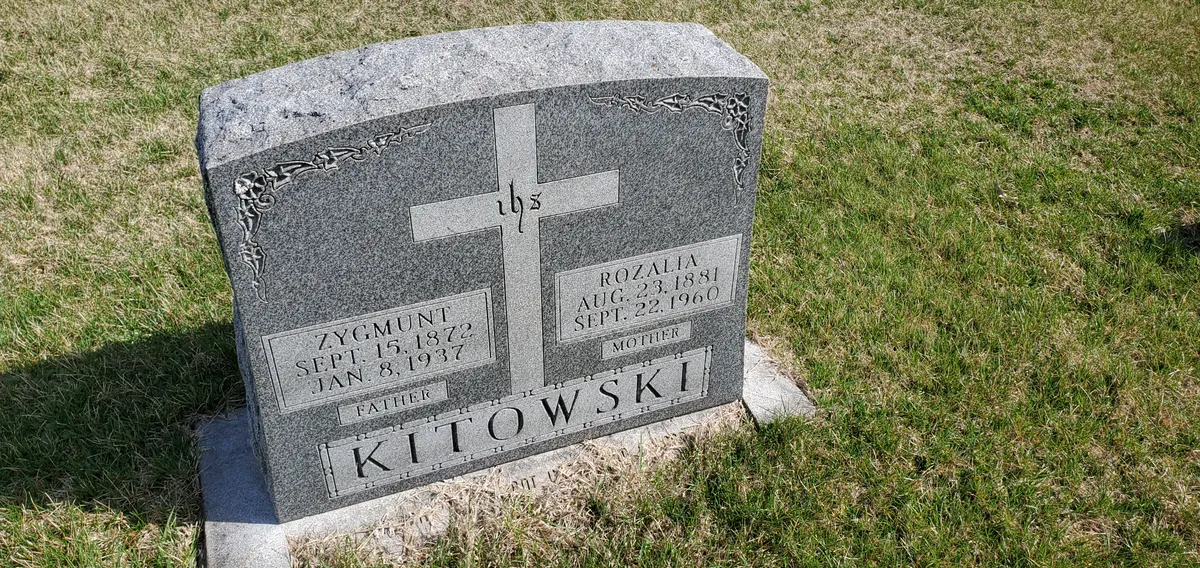
Illustrative stock photograph: Headstone 1.jpg by Eleutherius63 · CC BY-SA 4.0. Resized and converted to WebP. The photograph does not represent Marwaa’s work or a featured service location.
A favourite photograph can involve several decisions before it becomes a ceramic portrait or engraving. File quality, family preferences and reproduction permission are separate questions. Preparing them together can prevent a late change after the artwork has already been made.
Find the original rather than a screenshot
Ask who has the earliest digital copy, camera file or physical print. A screenshot of a social-media post may contain compression, a filter or interface elements. If only a print survives, ask the supplier about scanning before mailing the original. Keep a backup and agree how an irreplaceable item will be returned.
Do not promise that a small file can be made perfectly sharp. Ask the artwork provider what detail is actually present and what limitations remain. An honest preview is more useful than a heavily smoothed face that no longer looks like the person.
Establish a permission contact
Record who took the photograph if known, where the file came from and who is making the reproduction request. A family owning a print may still need to ask the photographer or studio about reproduction. Rights and exceptions vary; this guide is a preparation workflow rather than legal advice about a specific photograph.
If the photographer is unknown, explain that to the supplier rather than signing an inaccurate statement. Ask what evidence or alternative image is needed. Keep private permission correspondence in the project folder, not in a public online memorial.
Agree the crop in words and pictures
Identify whether the portrait should show the head and shoulders, include a uniform or retain an object with personal meaning. If a group picture is used, confirm exactly which person is being selected and whether removing another person affects the composition. Provide a marked reference copy while preserving an untouched original.
| Decision | Example instruction |
|---|---|
| Selected image | File name and source |
| Crop | Head and shoulders, retain the collar |
| Background | Plain replacement background requested |
| Retouching | Remove dust marks, preserve facial features |
| Colour | Confirm ceramic colour or engraving preview |
| Approval | Named reviewer and proof version |
Set limits on restoration
Decide whether the family permits colourisation, reconstruction of missing areas or significant facial changes. Ask the provider to identify reconstructed details. Avoid approving an imagined badge, jewellery item or expression simply because a preview looks polished.
Keep the source photo separate from the proposed artwork. Review the eyes, mouth, hairline and meaningful details in the final crop. For a couple, ask each family reviewer to check both faces rather than assuming approval of the layout covers identity and likeness.
Approve the portrait in its final setting
A portrait proof alone does not show its relationship to the inscription and border. Review the full memorial layout as well as the image. Ask how the proposed technique represents colour and fine detail. Compare the portrait methods guide before deciding.
Record the approved file and permitted edits in the proof workflow. Once the image is produced, changing the source may require new artwork or a replacement portrait. A clear file record helps the supplier reproduce the family's chosen image without guessing about permissions, identity or the extent of restoration.
Photograph note
The credited stock photograph is illustrative, not a Marwaa installation or an example of every step in this guide. It has been resized and converted to WebP for this website.
Frequently Asked Questions
Is a screenshot suitable for a headstone portrait?
It may be limited. Ask the supplier to assess it and look for an earlier original before committing.
Does owning a photo print prove reproduction rights?
Not necessarily. Identify the source and ask about permission for the intended reproduction.
Should restored details be identified?
Yes. Ask which features have been reconstructed and review them before approval.
Ready to get pricing for your granite monument?
Request pricing, factory specifications, and DAP delivery timelines from our team.
Related guides

How to Choose the Best Photo for a Headstone Portrait

Headstone Photos

Laser Etched Portrait Headstones on Black Granite
Adding a Couple's Photo to a Companion Headstone

Landscape vs Portrait Headstones
