Headstone Condition Log: Record Changes Without Guessing the Cause
Use a simple headstone condition log with repeatable photographs, dates and observations to discuss changes with the cemetery or a conservation professional.
By Marwaa Memorials · Published
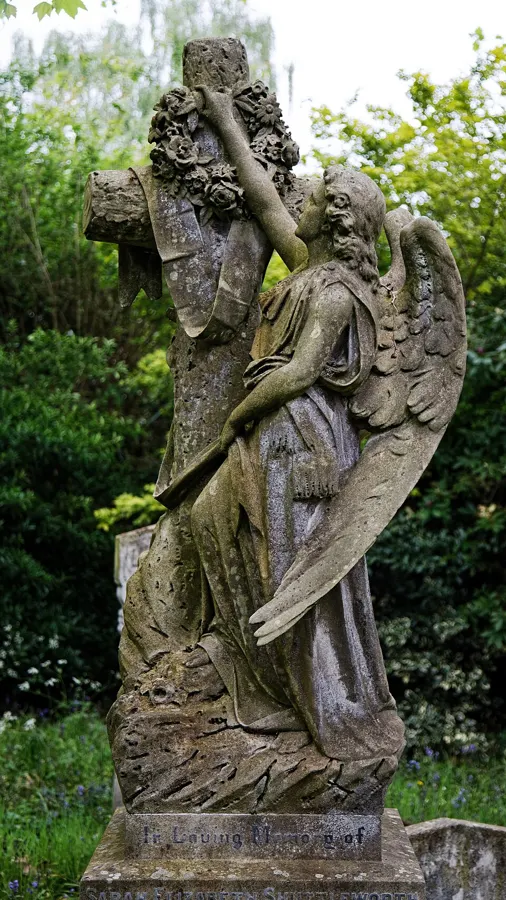
Illustrative stock photograph: City of London Cemetery angel headstone cross gravestone monument 3 by Acabashi · CC BY-SA 4.0. Resized and converted to WebP. The photograph does not represent Marwaa’s work or a featured service location.
A dated condition record is more useful than an uncertain memory that a mark “was not there last year.” A family log can help describe a concern to the cemetery, supplier, installer or conservator. It cannot diagnose structural safety, establish liability or replace a professional assessment.
Begin with an installation or first-observation baseline
Use the original handover photographs if they are available. If they are not, start a new baseline now and label it as a first observation rather than an installation record. Note the cemetery reference, date, person observing and general weather or lighting conditions.
Take an overview and a front view from repeatable positions where access is permitted. Include a closer photograph of the area of concern without touching or altering the stone. Keep original files, including images that do not support the explanation you initially suspected.
Copy this condition log
| Date and observer | Observation | Photo reference | Action or response |
|---|---|---|---|
| First visit | Description of visible appearance, without a diagnosis | Overview and front-view filenames | Baseline stored |
| Later visit | Specific change or uncertainty | New photographs from comparable positions | Contact requested if needed |
| Follow-up | What the cemetery or professional reported | Report or correspondence reference | Next step and responsible contact |
Use ordinary descriptive language: “dark mark beneath the vase,” “gap visible at the left edge” or “wording harder to read in this photograph.” Avoid writing “foundation failure” or “defective stone” unless an appropriate assessment supports that conclusion.
Keep observation separate from cause
A photograph can change because of wetness, shadows, seasonal vegetation or camera position. If two photographs look different, record that difference and the conditions rather than editing them to make the comparison more dramatic. A useful record lets another person see the original evidence.
In a fictional example, a family notices a dark area after heavy rain and assumes it is a permanent stain. The log can record the wet conditions and a later dry-weather view. If concern remains, the supplier can be asked to review the actual images and material specification rather than an unsupported diagnosis.
Know when documentation should stop
If a memorial appears loose, leaning or otherwise potentially unsafe, keep away and notify the cemetery. Do not push it to see whether it moves, attempt to straighten it or ask a visitor to test it. A professional should decide how to assess and address the concern.
Similarly, do not remove biological growth or apply a cleaner solely to obtain a clearer photograph of an old inscription. Historic material may need conservation advice. The National Park Service's guidance on cleaning grave markers emphasizes gentle methods and the risk of damage from unsuitable cleaning.
Record professional work without rewriting the past
If work is undertaken, retain the scope, person or organization, date and any supplied before-and-after record. Ask what future observation or care is appropriate. Preserve the earlier log entries so the history remains understandable rather than replacing them with a new “all good” entry.
For a modern memorial, keep the log with the handover and aftercare folder. For a historic marker, refer concerns to the cemetery and an appropriate conservation professional. The general care guide is a starting point for questions, not a reason to treat every stone alike.
Source and scope
The NPS cemetery documentation course discusses written and photographic documentation. The log above is an original family record format, not a technical inspection or a finding about the cause of damage.
Frequently Asked Questions
Can the log diagnose a foundation problem?
No. Record visible observations and ask the cemetery or an appropriate professional to assess the concern.
Should I clean a stone before taking condition photographs?
Record its existing condition first. Do not clean an old or vulnerable marker merely to improve a photograph; obtain suitable advice.
How often should I update the log?
Use it when recording a visit, an observed change or professional work. Agree any formal inspection schedule with the responsible cemetery or professional.
Ready to get pricing for your granite monument?
Request pricing, factory specifications, and DAP delivery timelines from our team.
Related guides

How to Photograph a Headstone for Records and Genealogy

White Spots or Haze on a Headstone
Who Owns a Headstone and the Right to Change It?

How to Clean a Bronze Grave Marker Without Damaging It
A Family Headstone Decision Record